

We moved a 600 GB Vimeo library to Google Drive — here's how long it took
We get the same question often: "How long will it take to move my whole Vimeo library?" The honest answer is "it depends on two things: the size of the library, and Vimeo's API rate limits." But that's not a satisfying answer, so we ran a real benchmark and wrote it up.
The setup
We took a test Vimeo account containing 147 videos totaling exactly 600 GB at source quality. The videos ranged from 30-second clips to 4-hour recordings. Destination: a Google Drive with ~2 TB of free space.
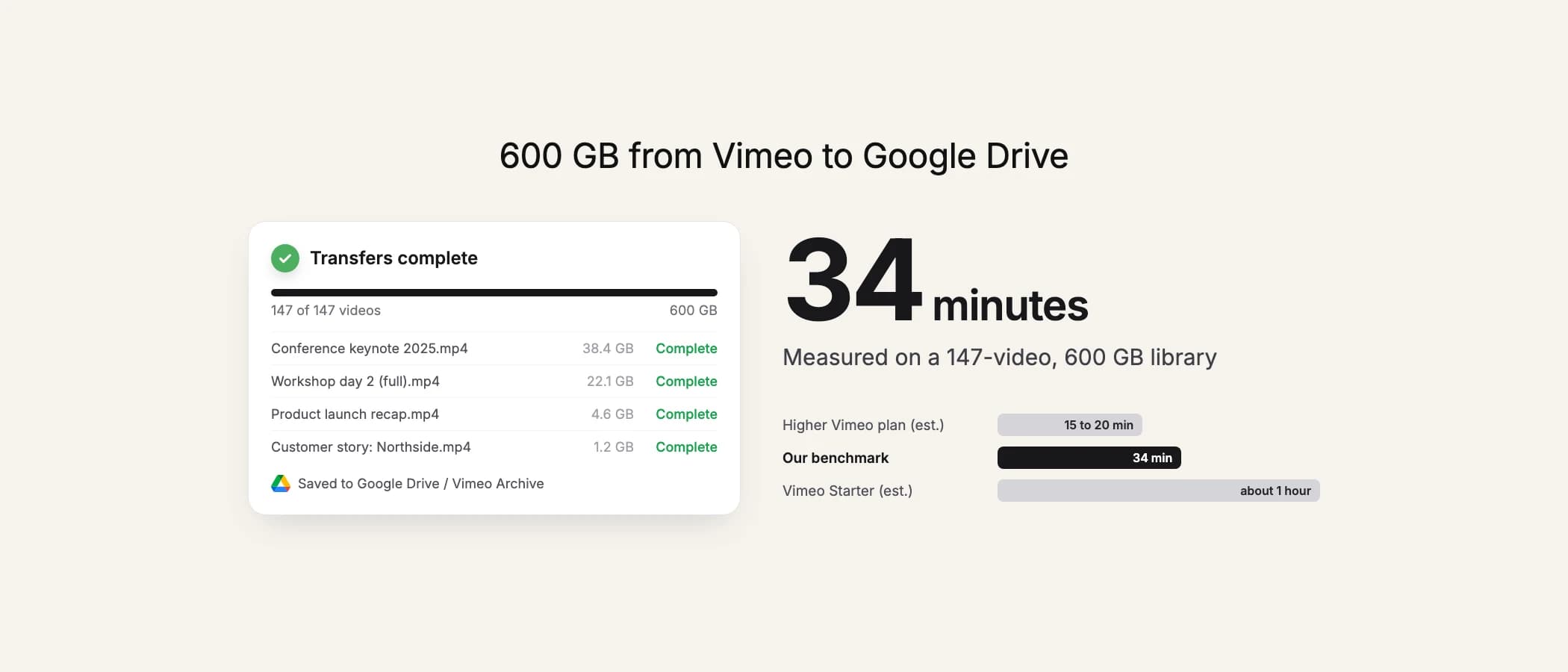
34 minutes
Our infrastructure streams videos directly from Vimeo's CDN to Google Drive at data-center speeds. Our servers sit in a well-peered DC with multi-gigabit bandwidth, so the bottleneck isn't our connection.
600 GB, wall clock: 34 minutes.
Try it now
Want numbers for your own library?
Run the first 10 files or 3 GB free, whichever comes first, and see the speed firsthand.
The real bottleneck
At 34 minutes for 600 GB, the bottleneck wasn't bandwidth — our servers can handle more than that. The bottleneck was Vimeo's API rate limits. Every video requires a metadata call plus a file URL call, and those calls are throttled per token. For accounts on lower Vimeo plans, you hit the ceiling faster.
On an Advanced or Enterprise Vimeo plan, the same library would probably move in 15-20 minutes. On Standard, you might see it closer to an hour. The actual file transfer is the fastest part; negotiating with the Vimeo API is what takes time.
What this means for you
Pick a pack that fits your library size. The 500 GB pack covers most mid-size libraries for a single one-time payment; the 2 TB and 7 TB packs exist for larger archives. Everything finishes in one sitting — you don't need to babysit the tab or keep a laptop awake overnight.