
How to generate your Vimeo access token
You need a personal access token to let this2that read your Vimeo library. It takes about two minutes. Your token is encrypted and only used to fetch your videos.
- 1
Open the Vimeo Developer Portal
Go to developer.vimeo.com/apps and sign in with your Vimeo account.
- 2
Create a new app
Click the "Create an app" button in the top-right corner.
- 3
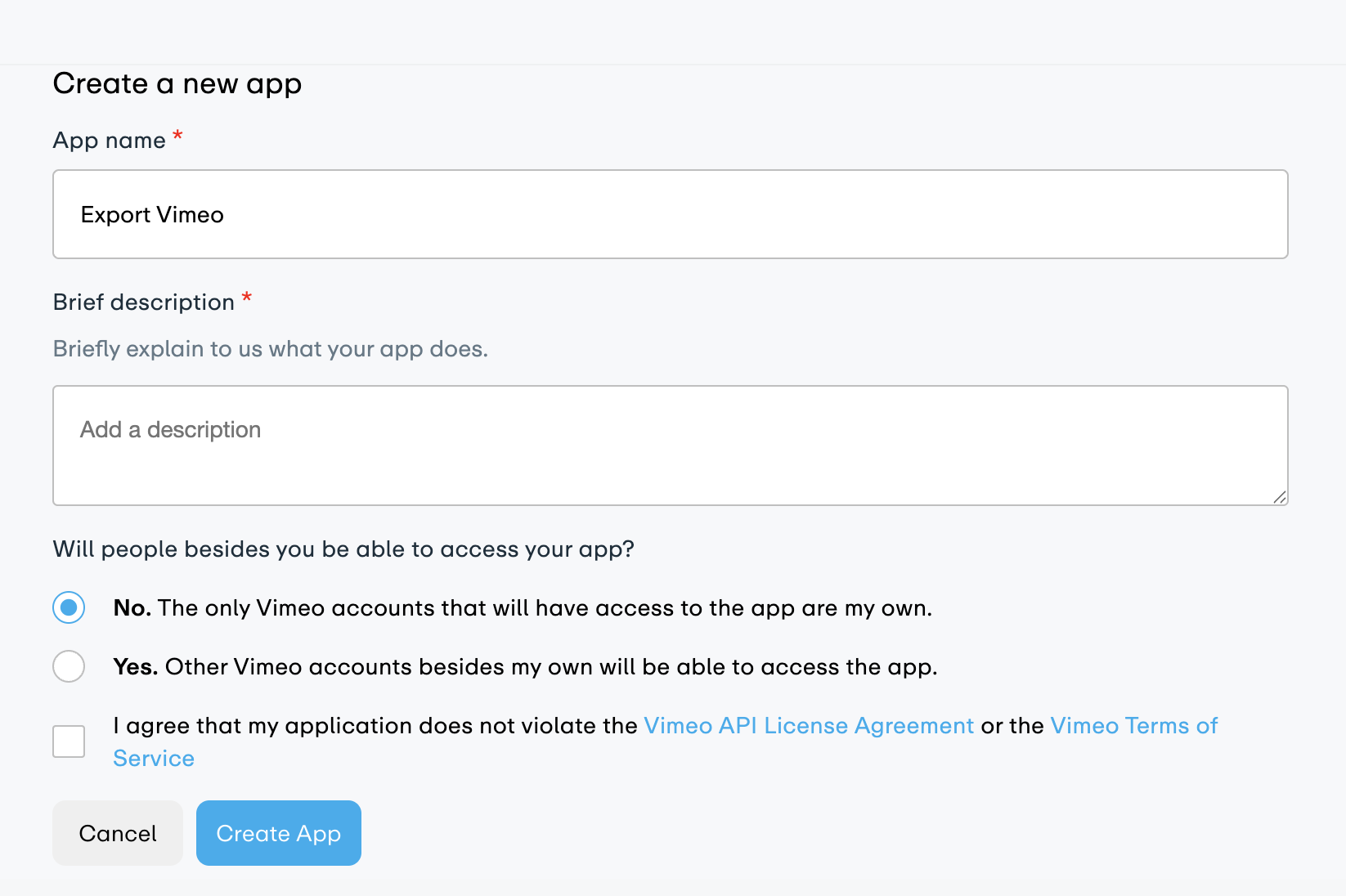
Name your app
Give it a name you'll recognize, like Export Vimeo. Then click Create App.
- 4
Open your new app
You'll be taken back to developer.vimeo.com/apps. Click on the app you just created to open its settings.
- 5
Find the Personal Access Tokens section
Scroll down to the Personal Access Tokens section on the app page.
- 6
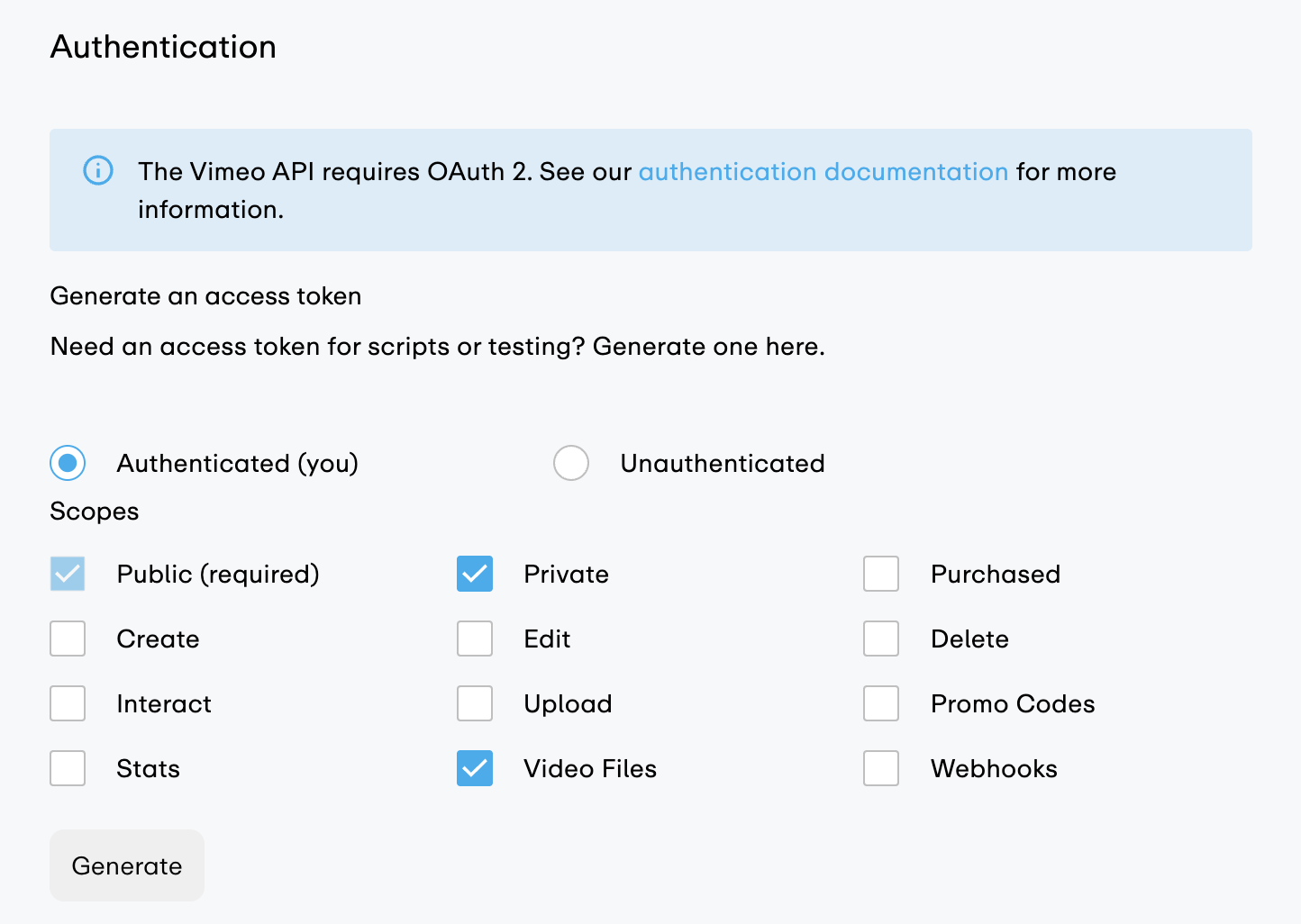
Generate your token
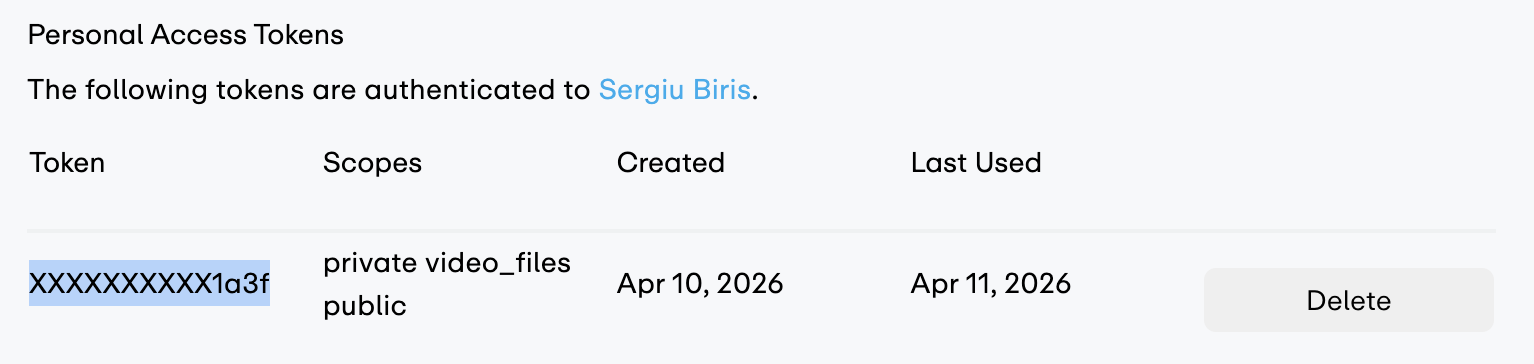
Under Authentication, select Authenticated (you). In the scopes checklist, check Private and Video Files. Then click Generate.
- 7
Copy your token
Your personal access token will appear. Copy it now: you won't be able to see it again.
- 8
Paste it into this2that
Go back to this2that, paste your token into the input field, and click Connect. Your Vimeo videos will appear right away.

Try it now
Got your token? Start transferring.
First 10 files or 3 GB are free, whichever comes first. No credit card required.
Need a paid Vimeo plan?
Video file downloads require a Vimeo plan whose API returns download links: Standard or above (or legacy Pro, Business, or Premium). Free, Starter, and the older Plus plan don't provide download links through the API.