

How to download Vimeo videos (including bulk)
There's more than one way to get a video off Vimeo. Which one is right depends on how many videos you're dealing with, whether you own them, and where you want the files to end up.
Want the whole library in one go? Skip to the tool.
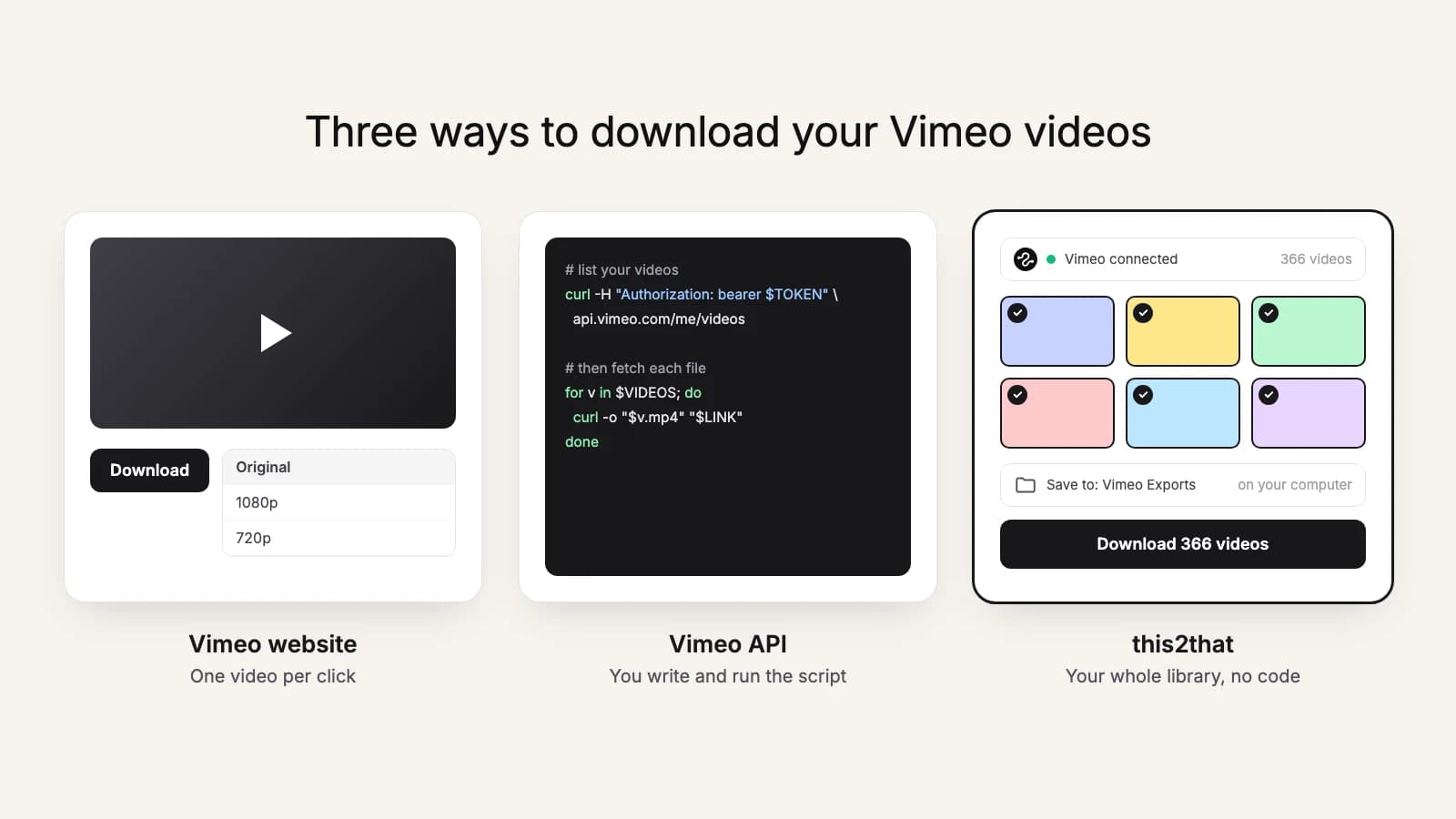
Method 1: Download from the Vimeo UI
If you own the video (you uploaded it) and the owner enabled downloads, there's a download button on the video page. Click it, pick a quality, and save the file locally. This is the simplest method (and the only one that works on Vimeo's free tier), but it's slow if you have more than a few videos.
Good for: 1-20 videos, one-off downloads.
Method 2: Use the Vimeo API
If you're on Vimeo Standard or above, the Vimeo API returns file URLs for your videos that you can fetch directly with curl, wget, or a script. This is the fastest method for technical users who want to automate downloads or integrate with other tools.
To use the API you need a personal access token with the private and video_files scopes. See the token generation guide for the exact steps.
Good for: Developers, automation, scripted workflows.
Method 3: Bulk migration tool
For large libraries, the practical answer is a migration tool that handles authentication, rate limits, retries, and destination integration for you. Instead of managing scripts and disk space, you point the tool at your Vimeo account and your target destination, pick the videos, and hit go.
this2that is one example, with two destinations. The bulk downloader saves your whole library to a folder on your computer, sorted into your Vimeo folders. The Google Drive tool copies it straight into Drive instead, with nothing downloaded to your computer. One-time payment, no subscription.
Good for: 50+ videos, migrations, and backups.
Try it now
Have more than 50 videos?
Manual downloads become a real time sink. Try our bulk tool: first 10 files or 3 GB free, whichever comes first.
What about third-party "Vimeo downloader" sites?
Sites that promise to "download any Vimeo video" by pasting a URL are almost always downloading pirated or unauthorized content. They also typically serve ads and malware. Unless you're downloading your own videos with your own credentials, you're outside what Vimeo allows, and risking your security.
For content you legitimately own, the API-based methods above are safer, faster, and work in bulk.