

How long does it take to move OneDrive to Google Drive or Dropbox?
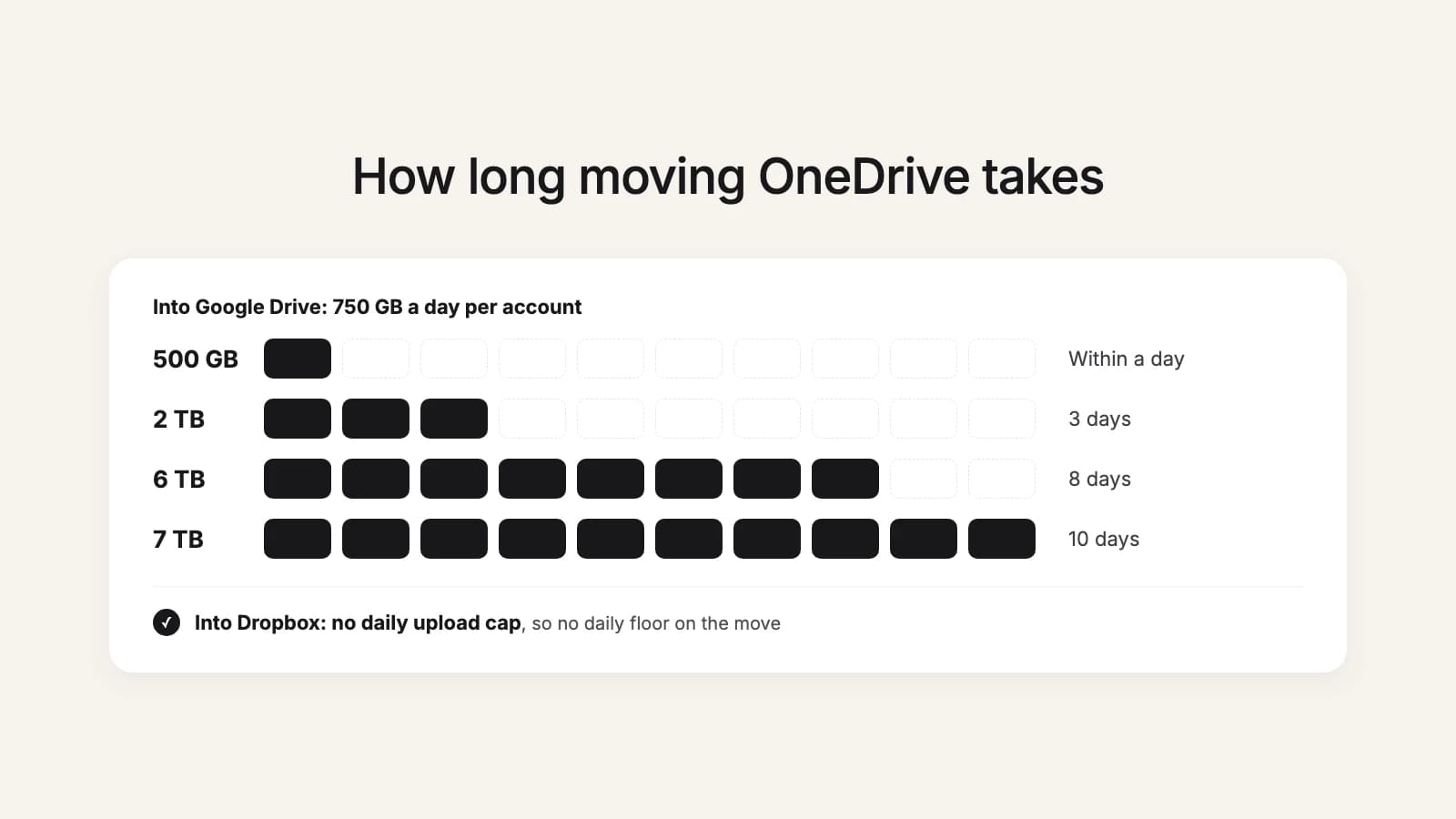
The short answer depends on where the files go. Google Drive lets each account upload and copy 750 GB within 24 hours, so a move into Google Drive takes at least a day for every 750 GB, whatever tool you use. Dropbox says it has no daily upload limit, so a move into Dropbox has no such floor: it goes as fast as the files can be read from OneDrive and written to Dropbox.
Into Google Drive: the 750 GB floor
The cap is per Google account and counts everything that account uploads or copies that day, in My Drive and in shared drives. A single file bigger than 750 GB still uploads, but OneDrive's own largest file is 250 GB, so that never comes up when the files come from OneDrive. Most households fit in a few days: even a full 6 TB Microsoft 365 Family plan from before the change to 2 TB shared needs about eight.
| OneDrive size | Upload at 20 Mbps | Upload at 100 Mbps | Upload at 500 Mbps | Into Google Drive, cloud to cloud | Into Dropbox, cloud to cloud |
|---|---|---|---|---|---|
| 500 GB | 2 days | 11 h | 2 h | Within a day | No daily floor |
| 2 TB | 9 days | 44 h | 9 h | At least 3 days | No daily floor |
| 6 TB | 28 days | 6 days | 27 h | At least 8 days | No daily floor |
| 7 TB | 32 days | 6 days | 31 h | At least 10 days | No daily floor |
The upload columns are the time to push the files through your own connection once, for the desktop apps or a download and upload by hand. Into Google Drive, the daily cap applies on top: at 500 Mbps, your connection could send 2 TB in under ten hours, but Google still takes three days. If you download from OneDrive first, add the download time too, because everything crosses your connection twice. And most home connections upload far slower than they download, so check your upload speed.
The last two columns are a cloud-to-cloud tool that copies straight from OneDrive, such as Google's admin import or this2that. Your connection drops out of the picture. Into Google Drive the daily cap is what's left. Into Dropbox there's no fixed floor, so we don't put a number on it: the speed depends on the two services and on how many files there are.
What slows a OneDrive move down
- Many small files. Every file is its own read and its own upload. A folder of 200,000 small documents takes much longer than one video of the same total size.
- Microsoft asking apps to slow down. When an app reads a lot from OneDrive quickly, Microsoft can throttle it and tell it how long to wait. A good tool waits and carries on; a script that doesn't can fail halfway.
- A computer in the middle. Sleep, a closed laptop lid or dropped Wi-Fi stops a desktop-app move until someone notices.
- Other uploads on the same Google account. The 750 GB is shared with everything else that account uploads that day.
The limits Dropbox does have
No daily cap doesn't mean no limits at all. Dropbox's own notes for large moves list a limit of 1,000,000 write operations per namespace in 24 hours, and on the Standard, Advanced and Enterprise team plans, 1 billion upload operations a month for the whole team (Dropbox calls it the data transport limit). A family or a small team moving a OneDrive won't come near either; a company moving millions of files at once might. Single files can be up to 350 GB through Dropbox's API, and OneDrive's largest file is 250 GB, so size is never the problem.
How to plan the move
- Move what you use first. Current folders before the archive, so you can switch while the old photos are still on their way.
- Split by person. Each Google account has its own 750 GB a day, so if each person in a household moves their own OneDrive into their own account, the moves run side by side.
- Keep using OneDrive meanwhile, then copy what changed at the end, instead of freezing everything for days.
- Check free space first. A move that stops at a full Google Drive wastes a day of cap.
- Leave time before your Microsoft 365 renewal, if that's what's pushing you: start a week or two ahead, so there's time to check the result. The switch-over checklist lays out the days around it.
Try it now
Let the waiting happen without you
this2that pauses at Google's daily cap and carries on by itself the next day, so a big OneDrive needs no babysitting. The first 5 GB or 200 files are free.
What this looks like in this2that
When you press Move, we count the files first and start right after. Into Google Drive, when the account reaches its 750 GB for the day, the move pauses on its own and picks up again when Google allows more. When Microsoft asks us to slow down, we wait as long as it says and carry on. Close the tab whenever you like: the progress is there when you return, with a report of every file. The step-by-step versions of every method are in our guides to moving OneDrive to Google Drive and moving OneDrive to Dropbox, and the other tools are compared in every way to move OneDrive.