

For event and AV teams
Move your event archive off Vimeo
Keynotes, breakouts and livestreams, moved to Google Drive, a Shared Drive or a local drive in the highest quality Vimeo has, with your folders kept.
Try 10 videos or 3 GB free · See pricing
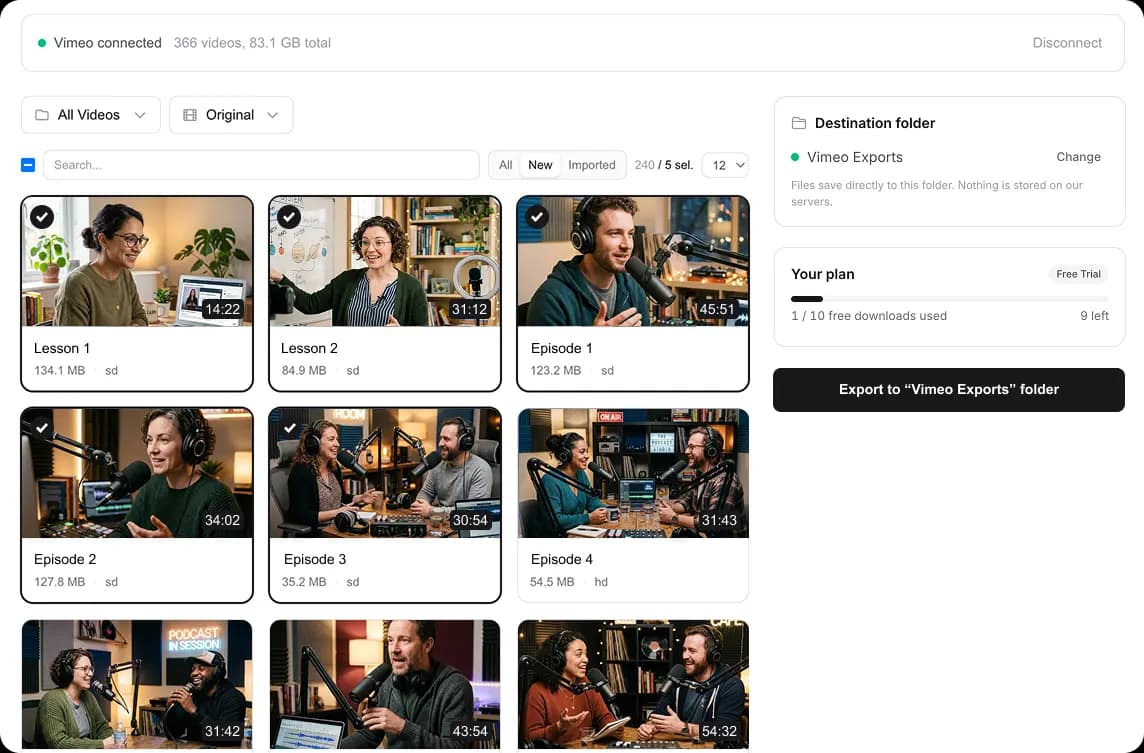
Pick a folder or a drive, select your events, and start
Terabytes of events, and clients still asking
AV and event teams end up with some of the biggest Vimeo libraries around: every keynote, breakout and livestream from every show, often in several versions. Clients still ask for footage from three conferences ago, and the Vimeo bill keeps coming.
Pulling that out by hand takes weeks. this2that moves it in one run, to a Shared Drive per client or to a local drive. Moving a 600 GB library takes under an hour cloud to Google Drive, and for drives on the shelf there is a guide to copying Vimeo to an external hard drive.
How it works
Sign in
Sign in with Google or your email. No password to create.
Pick a destination and start
Choose My Drive, a Shared Drive or a local drive. Your Vimeo folders, like one per client or per event, are recreated there.
Needs Vimeo Standard or above, because Vimeo only gives out download links on those plans. Which plans work
Which tool fits
Download to your disk →
Every video into a folder on your computer or an external drive, sorted like your Vimeo folders.
Transfer to Google Drive →
Straight into your own My Drive. Keeps running after you close the tab.
Transfer to a Shared Drive →
Into a Google Workspace Shared Drive, so the files belong to the team, not one person.
One pack covers all three, in any mix.
Moving the rest of your files too?
Show files, decks and raw camera cards often live in Dropbox or OneDrive. Move them cloud to cloud into a Shared Drive per client or event.
Drive moves use their own packs. See all drive moves
Pricing
How big is your library?
Event and AV libraries we have moved run from a few hundred GB to over 2 TB, and 1 TB or more is common. Once you add your Vimeo token, this2that shows your library's size before you pay, and the first 10 videos or 3 GB move free.
Up to 500 GB
$39.99
$0.08/GB
- •Google Drive or your own disk
- •background transfers
- •repeat transfers are free
- •never expires
Up to 2 TB
$79.99
$0.04/GB
- •Google Drive or your own disk
- •background transfers
- •repeat transfers are free
- •never expires
Up to 7 TB
$129.99
$0.018/GB
- •Google Drive or your own disk
- •background transfers
- •repeat transfers are free
- •never expires
Frequently asked questions
Read more: Vimeo API rate limits · Restricted Vimeo videos · Which Vimeo plans allow downloads · Move Dropbox or OneDrive to Google Drive
Get the whole archive back on your own storage
Sign in, add your Vimeo token, and see the size of every event before you pay anything.