

For churches
Move your sermon archive off Vimeo
Years of Sunday services, moved to Google Drive, a Shared Drive or your own disk in one go, with your Vimeo folders kept. No downloading one video at a time.
Try 10 videos or 3 GB free · See pricing
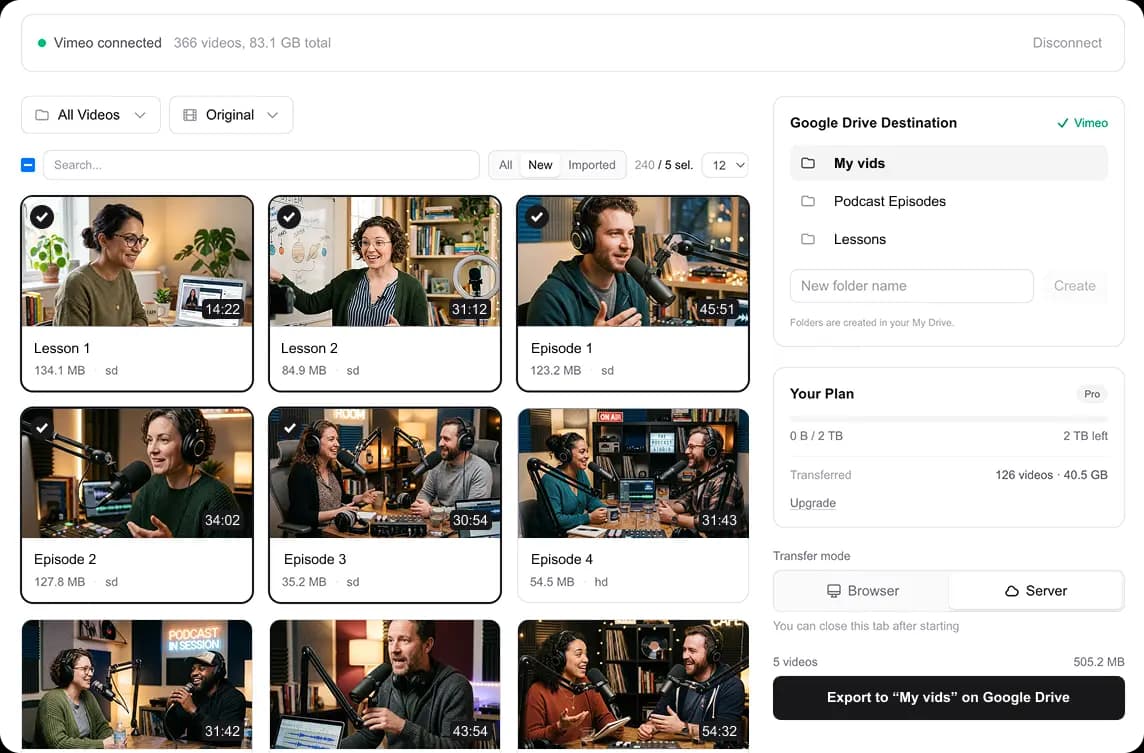
Pick a Shared Drive, select your services, and start
Years of services, one renewal away
Most church video archives grew a week at a time: every Sunday service, every special event, every series. Then the Vimeo plan comes up for renewal, the church moves to YouTube or a church app, and someone has to get years of sermons out first.
Downloading them one by one is a job nobody on staff or on the volunteer team has time for. If the plan lapses first, the account drops to Free and newer videos are locked. Here is what happens when you cancel Vimeo. this2that moves the whole archive in one go, into a Shared Drive so the files belong to the church, not to whoever happened to run the export.
How it works
Sign in
Sign in with Google or your email. No password to create.
Pick a destination and start
Choose My Drive, a Shared Drive or a folder on your disk. Your Vimeo folders, like one per year or per series, are recreated there.
Needs Vimeo Standard or above, because Vimeo only gives out download links on those plans. Which plans work
Which tool fits
Download to your disk →
Every video into a folder on your computer or an external drive, sorted like your Vimeo folders.
Transfer to Google Drive →
Straight into your own My Drive. Keeps running after you close the tab.
Our suggestionTransfer to a Shared Drive →
Into a Google Workspace Shared Drive, so the files belong to the team, not one person.
One pack covers all three, in any mix.
Moving the rest of your files too?
Many churches keep bulletins, slides and photos in Dropbox or OneDrive next to the Vimeo archive. Move them into the same Shared Drive so everything belongs to the church.
Drive moves use their own packs. See all drive moves
Pricing
How big is your library?
The church libraries we have moved range from a couple of hundred GB to about 3 TB, and around 1 TB is typical. You don't have to guess: once you add your Vimeo token, this2that shows your library's size before you pay, and the first 10 videos or 3 GB move free.
Up to 500 GB
$39.99
$0.08/GB
- •Google Drive or your own disk
- •background transfers
- •repeat transfers are free
- •never expires
Up to 2 TB
$79.99
$0.04/GB
- •Google Drive or your own disk
- •background transfers
- •repeat transfers are free
- •never expires
Up to 7 TB
$129.99
$0.018/GB
- •Google Drive or your own disk
- •background transfers
- •repeat transfers are free
- •never expires
Frequently asked questions
Read more: What happens when you cancel Vimeo · Cancel Vimeo and keep your videos · Which Vimeo plans allow downloads · Move Dropbox or OneDrive to Google Drive
Keep every sermon, without the busywork
Sign in, add your Vimeo token, and see how big your archive is before you pay anything.