

What happens to your videos when you cancel Vimeo
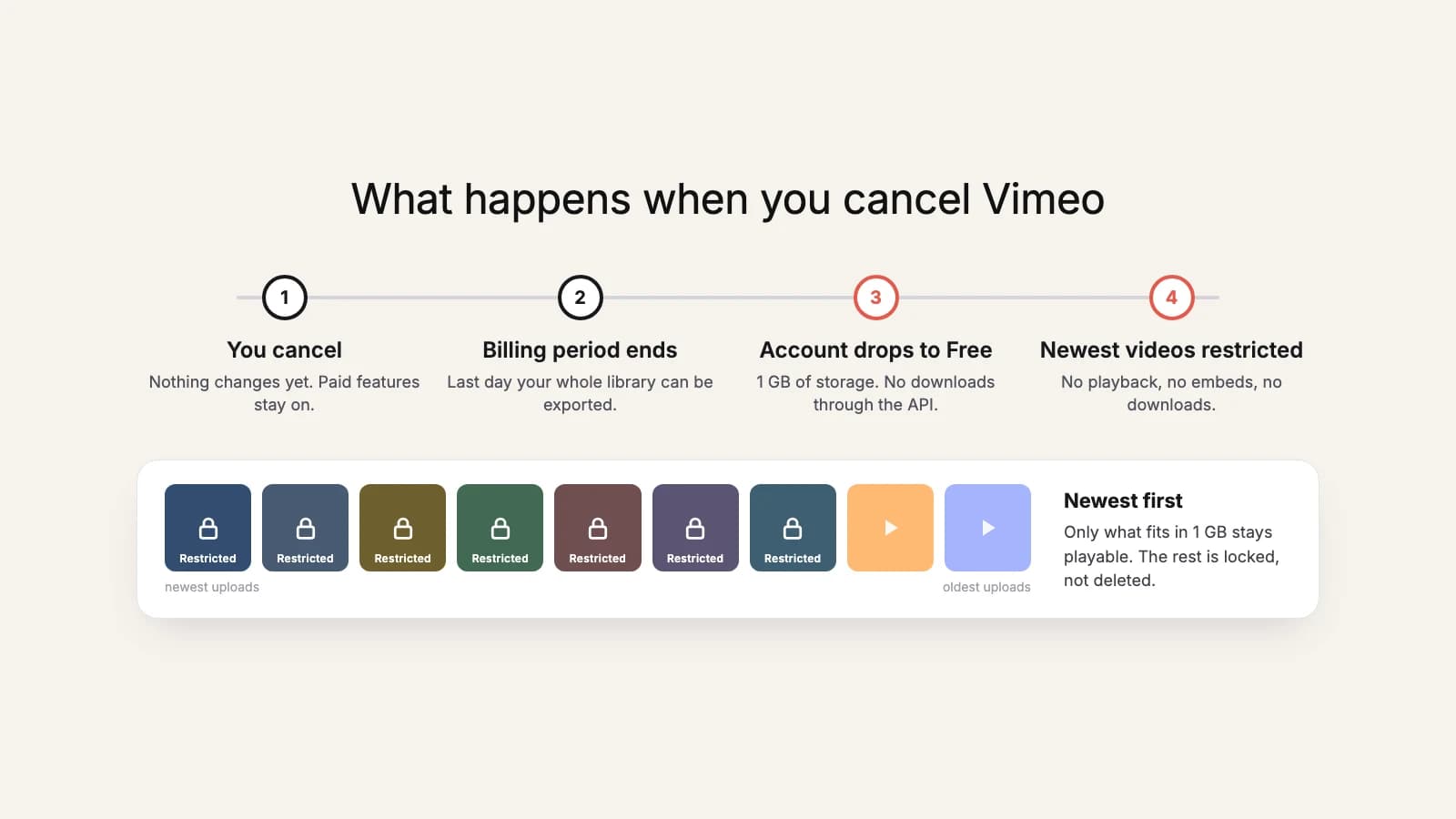
Canceling Vimeo doesn't delete your videos. But it does put most of them out of reach, including out of reach of any tool that could have saved them for you. Here's exactly what happens, in order, based on Vimeo's own help center, and what to do before the date arrives.
The short version
- Nothing changes until the end of the billing period you paid for.
- Then the account drops to the Free plan, which has a 1 GB storage cap.
- Everything over 1 GB is restricted, newest uploads first: no playback, no embeds, no downloads.
- Restricted videos aren't deleted, and they unlock when your plan's storage covers them again.
- The Free plan can't download through the API, so bulk export has to happen before the plan ends.
Until the end of your billing period: nothing changes
When you cancel, Vimeo stops the next renewal but keeps your paid features until the end of the current billing cycle. Your videos keep playing, embeds keep working, and you can still download everything. This window is the one that matters: it's the last time your whole library is reachable.
The day your plan lapses
At the end of the period, the account downgrades to the Free plan. Free comes with 1 GB of storage (Vimeo notes that accounts created before June 2024 may have different limits). If your library is bigger than that, which almost every paying account's is, Vimeo restricts videos until what is left fits.
It works backwards through your library, one upload at a time, so your most recent videos are restricted first and your oldest stay accessible longest. A restricted video:
- can't be played, edited, or downloaded;
- stops working on its video page and in every embed;
- breaks any link you shared to it.
If you embed videos on a website, a course platform, or a church or association site, this is when visitors start seeing broken players.
What else changes
- Videos set to Password, Unlisted, or Embed only are switched to Private.
- Team members lose access to the team account (they keep their own free personal accounts).
- Showcases, channels, and groups stay, but you can't create new ones beyond the Free limits.
- Any video-on-demand titles you sell stop being available.
Are your videos deleted?
No, not by the downgrade itself. Restricted videos stay in your account and unlock again as soon as your library fits inside your plan's cap, links and embeds included. Two cautions:
- Deleting a restricted video is permanent. It doesn't go to Recently deleted and can't be recovered.
- Vimeo says it may remove Free accounts that go unused for a full year, after notifying you. A lapsed account you never log into again isn't a safe archive.
- Recordings of live events move to Vimeo's archive storage. Vimeo restores them if you upgrade within a year of lapsing, and doesn't say what happens after that.
What about a downgrade or a trial ending?
Vimeo's help center only spells out the move from a paid plan to Free. But every plan has a storage cap, so if you move to a smaller one, expect the same rule with that plan's allowance instead of 1 GB. A paid trial is canceled through the same flow as any subscription, so treat its end date the same way: export first.
Can you still download after the lapse?
Only a little, and only by hand. On Free you can still download the videos that fit inside the 1 GB, one at a time from the Vimeo website. Restricted videos can't be downloaded at all, and because the Free plan doesn't allow downloads through the API, bulk tools (ours included) can't fetch anything. If you're already there, see how to get restricted videos back.
Try it now
Export while you still have the whole library
Save every video to your computer or copy it to Google Drive before your billing period ends. The first 10 videos or 3 GB are free.
What to do before the date
- Find your renewal or end date in Vimeo's billing settings and put it in your calendar a week early.
- Check your total library size, so you know how much space the copy needs.
- Pick a destination: an external hard drive, your computer, or Google Drive. Ideally two of them.
- Export everything, then open a sample of files to check they play.
- If you embed videos elsewhere, plan where they'll be hosted next, because those embeds will stop working.
- Only then let the plan lapse.
The step-by-step version, with the safe order to do things in, is in our guide to canceling Vimeo without losing your videos.