

Evernote Free now holds 50 notes and 1 notebook: your options
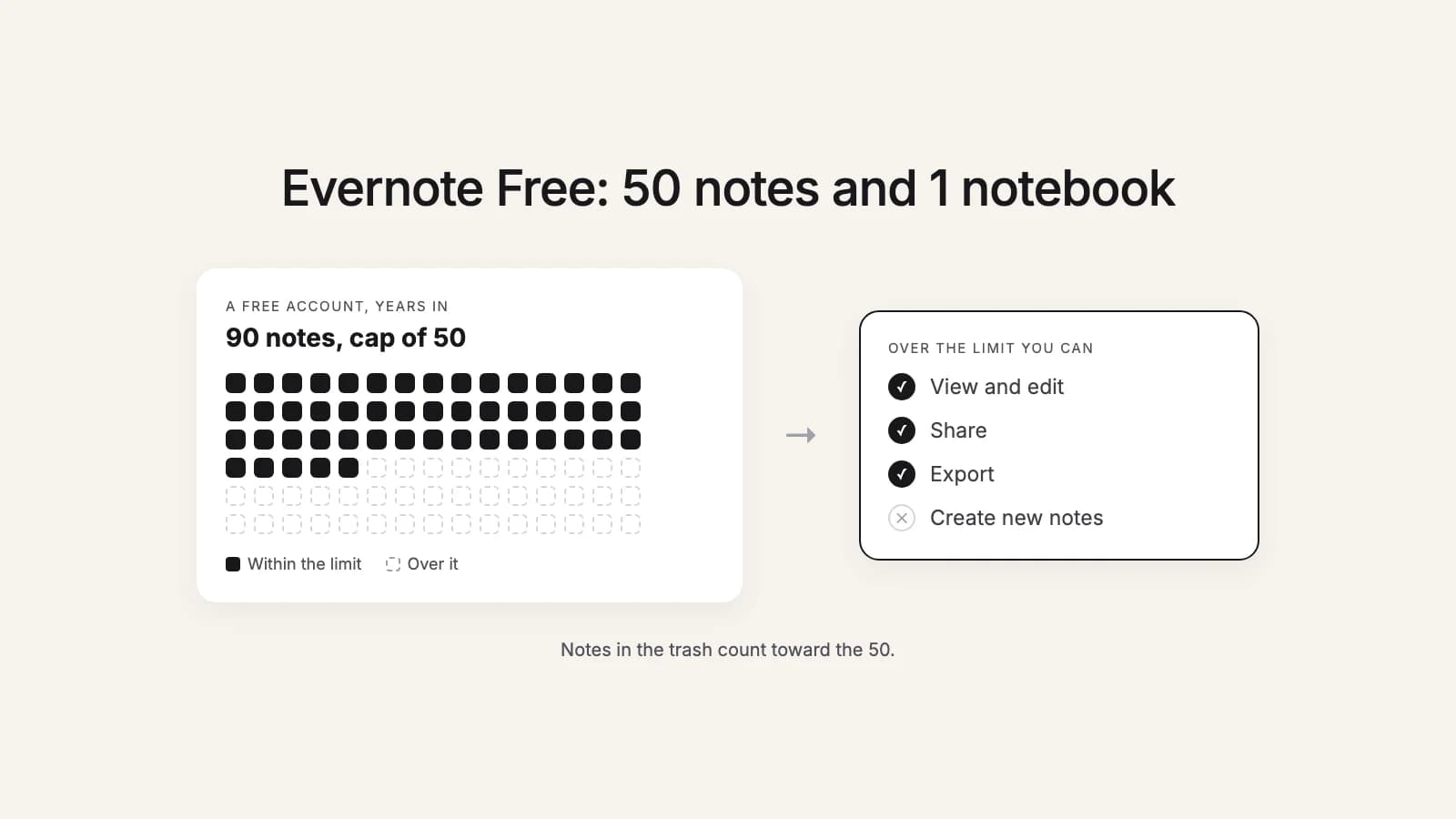
Evernote's free plan now holds 50 notes and one notebook. If you started using Evernote years ago and never paid, there's a good chance you have far more than that, spread over several notebooks. Your notes aren't gone, but the account stops working the way it used to.
Here's what the limit means, what still works when you're over it, and the options, from free to paid. We make a tool that converts Evernote exports for other apps, so we've tried to be fair to the options that don't involve us.
What Evernote Free includes now
Evernote's plan comparison lists these limits for the Free plan:
- 50 notes in total.
- 1 notebook.
- Sync on 1 device.
- 20 tags.
Are you affected?
You are if your account has more than 50 notes, or more than one notebook, and you don't pay for Evernote. To check, open Notes in the Evernote sidebar: the list shows how many notes you have. Then open the trash. Evernote counts notes in the trash toward the limit, so a cleared-out account with a full trash can still be over.
What happens to notes over the limit
Your notes stay put. Evernote says that over the limit you can still view, edit, share and export your notes. What you can't do is create new ones. For many people that's the moment Evernote stops being useful: the notes are still there to read, but the app is no longer where you can write down the next thing.
Because export still works over the limit, you don't have to decide today. Make an export anyway, so a copy of everything sits on your own disk while you choose.
Your options
| Option | Cost | Good when | Watch out for |
|---|---|---|---|
| Trim to fit | Free | A little over 50 notes, most of them old | Notes in the trash count too, and one notebook is the cap |
| Evernote Starter | A subscription | Up to 1,000 notes in up to 20 notebooks | Sync on 3 devices; a yearly cost to keep reading your own notes |
| Evernote Advanced | A larger subscription | Years of notes you want to keep in Evernote | The most expensive way to keep things as they are |
| Move out | Free by hand, or a one-time tool | Notes you want to keep without a subscription | A new app to learn, and an export to make first |
1. Trim to fit
Free, and realistic if you're only a little over. Empty the trash first, since it counts. Then look for notes you no longer need: old web clips, shopping lists, drafts you copied elsewhere. Before you delete anything you might want one day, export it from the Evernote desktop app as an .enex file and keep that file somewhere safe. An .enex file holds the notes with their attachments, tags and dates, so you can open it in another app later.
The catch is the one-notebook cap. If your notes are spread over several notebooks, trimming the number of notes is only half of it, and 50 notes is not much room to grow.
2. Pay for Evernote Starter
The Starter plan raises the limits to 1,000 notes and 20 notebooks, with sync on 3 devices. It fits someone with a few hundred notes who likes Evernote and wants to keep using it. Evernote shows the price on its plans page and at checkout. It varies by country and by monthly or yearly billing, so check it there rather than trusting a number from a blog, this one included.
3. Pay for Evernote Advanced
Advanced removes the note and notebook caps (Evernote notes safeguard limits against abuse) and syncs on as many devices as you use. It's the plan for keeping a large archive in Evernote exactly as it is. It's also the most expensive option here, every year, for notes many people mostly read.
4. Move out
Your notes can live somewhere that doesn't charge you to keep them. The four places people most often go:
- Obsidian: free, notes as plain files on your own disk, links between notes. Sync between devices is a paid add-on, or you set it up yourself.
- Apple Notes: already on your Mac, iPhone and iPad, synced with iCloud. The simplest choice if everything you own is Apple.
- UpNote: the closest to Evernote, with notebooks and tags, on Mac, Windows, Linux, iPhone and Android. Free for up to 50 notes, then $1.99 a month or $39.99 once for Premium, according to its website.
- Markdown: plain text files you can open in any editor, now or in twenty years.
Not sure which? Obsidian, Apple Notes, UpNote or Markdown compares them side by side: platforms, sync, price, and how notebooks, tags and attachments come over.
Try it now
Moving out?
this2that turns your Evernote export into an Obsidian vault, Apple Notes or UpNote imports, or plain Markdown. Your first 50 notes are free, the same as Evernote Free's cap.
How to move out
- Export. Evernote only exports from its desktop app for Mac and Windows, either whole notebooks or up to 100 notes you pick by hand, as ENEX or HTML. Choose ENEX. If you only use Evernote on the web or a phone, how to export all your Evernote notes covers that case too, along with a free tool that exports a whole account at once.
- Import. Obsidian, Apple Notes and UpNote each read .enex files with their own importer, which works well for a small, tidy notebook. With years of notes, the step-by-step guides for Obsidian, Apple Notes, UpNote and Markdown walk through both the free route and ours.
- Check. Open notes you know well, with photos, PDFs and checklists, and compare counts. What doesn't move from Evernote lists what to look for.
Exporting doesn't delete anything, so you can keep your Evernote account past the limit, where you can still read and export but not add, as a safety net until you're sure.
Where this2that fits
this2that doesn't connect to your Evernote account. You add the .enex files you exported, pick the app you're moving to (Obsidian, Apple Notes, UpNote or Markdown), tick notebooks or single notes, and download files ready to open or import. Your first 50notes are free, which is the whole of an Evernote Free account that's within its limit. Past that it's a one-time pack by number of notes: up to 1,000 notes $29, up to 10,000 notes $49 and up to 50,000 notes $99. A note counts once, so converting the same notes again for another app costs nothing, and your upload is deleted after 7 days.
For a comparison with every other way out, including the free ones, see every way to leave Evernote.
A plan, in order
- Empty the trash and count your notes and notebooks.
- Under 50 notes in one notebook: carry on, and keep an export as a backup.
- A few hundred notes and you like Evernote: look at Starter.
- More than that, or you'd rather not pay every year to read your own notes: export, pick an app, and follow the leaving Evernote checklist.